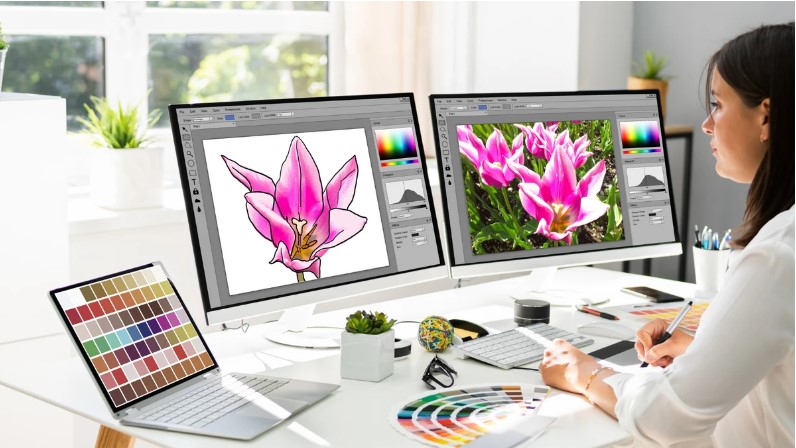
If you’re working in the world of printing, embroidery, apparel design, or digital artwork, then Vector Art Conversion is something you’ll come across all the time. Converting raster images like JPGs, PNGs, or low-resolution graphics into sharp, scalable vector files is essential for clean printing and professional output. Whether you’re preparing artwork for screen printing, DTG, vinyl cutting, engraving, or promotional products, vectorizing your artwork helps everything look crisp and flawless.
In this guide, we’ll break down what vector conversion is, why it matters, who needs it, and how you can get high-quality vector artwork without the stress.
Let’s get started!
What Is Vector Art Conversion?
Vector art conversion is the process of turning pixel-based images (raster graphics) into scalable vector graphics that never lose quality no matter how much you resize them.
Raster files are made of pixels. Zoom in too much, and they get blurry.
Vector files are made of paths and curves. Zoom in, and they stay sharp forever.
Common raster files:
- JPG
- PNG
- GIF
- BMP
Common vector files:
- AI
- EPS
- SVG
- PDF (editable)
- CDR
The conversion is not just a simple “auto-trace” button true vector art conversion involves manually redrawing the artwork to ensure smooth lines, accurate colors, and perfect detailing.
Why Vector Art Conversion Is Important
Many industries cannot work with low-resolution or pixelated images. Vector artwork guarantees quality, precision, and consistency across different printing methods.
Here’s why vector conversion is essential:
1. Perfect for Any Printing Method
Whether you’re printing on t-shirts, mugs, banners, signs, or caps, print shops require vector files to ensure:
- Clean edges
- Accurate shapes
- Smooth curves
- Sharp lines
Raster files just can’t deliver that kind of clarity.
2. Infinite Scalability Without Quality Loss
Need your logo on a business card and a giant billboard?
No problem.
Vector graphics scale perfectly without pixelation.
3. Easy to Edit and Modify
Vector artwork can be edited easily:
- Change colors
- Adjust shapes
- Remove backgrounds
- Modify outlines
- Add or remove elements
This flexibility is crucial for branding and production.
4. Required by Most Professional Designers & Print Shops
Print companies, apparel decorators, and sign makers often ask for:
- AI
- EPS
- SVG
- PDF (vector)
If you only have a JPG or PNG, you’ll need vector conversion before production can start.
Who Needs Vector Art Conversion?
Vector conversion is used across multiple industries.
Most common users include:
Graphic Designers
They need vector files to create clean designs, logos, and illustrations.
Apparel Printers (Screen Printing, DTF, DTG)
Vector files ensure crisp prints, clear outlines, and perfect color separation.
Embroidery Digitizers & Machine Operators
While embroidery uses stitch files, vector artwork helps create a clean base before digitizing.
Promotional Product Manufacturers
Mugs, pens, keychains, bags, and corporate gifts all require vector-ready logos.
Small Businesses & Startups
Most companies only have a low-resolution logo but to print it on merchandise, they need it vectorized.
Engraving and Laser Cutting Shops
Laser machines cannot read pixel images. They require vector paths.
Types of Vector Art Conversion
Not all vector conversions are the same. Depending on the artwork, different techniques may be used.
1. Manual Vector Tracing
This is the most accurate method everything is redrawn by hand for perfection.
Best for:
- Logos
- Branding elements
- Detailed illustrations
- High-precision printing
2. High-Resolution Auto Tracing
Useful for simple shapes, but not recommended for professional work.
Best for:
- Basic icons
- Simple tex
- Geometric shapes
3. Re-Creation or Redesign
When the original image is too blurry or damaged, the artist recreates it from scratch.
Best for:
- Extremely low-resolution logos
- Old branding materials
4. Color Separation for Screen Printing
Converting artwork into separated color layers for professional screen printing.
5. Clean-Up & Simplification
Removing unnecessary details, smoothing lines, and simplifying shapes.
Why You Should Avoid Free Auto-Trace Tools
While free tools like online “JPG to SVG converters” sound tempting—they often create messy, jagged, inaccurate results.
Common issues with auto-trace tools:
- Wobbly lines
- Uneven curves
- Random colors
- Poor detailing
- Broken shapes
- Large file size
For professional use, especially in printing or embroidery, manually created vector artwork is ALWAYS the best option.
Benefits of Getting Professional Vector Art Conversion
Professional vectorization offers advantages that automated tools can’t match.
Accurate Reproduction of Original Artwork
Every line, shape, and curve is clean and precise.
Smooth and Clean Curves
No jagged edges or rough lines—just perfect vector paths.
Color Accuracy
Exact CMYK or Pantone colors can be applied for printing consistency.
File Compatibility
Your vector file will work in:
- Adobe Illustrator
- CorelDRAW
- Affinity Designer
- Laser cutters
- Plotters
- Embroidery software
Ready for Any Printing Method
Whether it’s offset printing, screen printing, heat press, or sublimation the file will be flawless.
Vector Conversion Process: Step-by-Step
Here’s what happens when your artwork goes through professional conversion:
Step 1: Review the Artwork
The artist checks clarity, colors, shapes, and complexity.
Step 2: Manual Redrawing
Using Illustrator or CorelDRAW, the artwork is traced manually for precision.
Step 3: Smoothing & Structuring
Paths are cleaned, curves are adjusted, and lines are refined.
Step 4: Coloring
Colors are added—CMYK, Pantone, or RGB depending on your needs.
Step 5: Background Removal / Cleanup
Any noise or pixel grain is eliminated.
Step 6: Final Formatting
Files are delivered in multiple formats:
- AI
- EPS
- SVG
- PDF (editable)
- PNG
- JPG
Signs You Need Vector Art Conversion
You should get your artwork converted if:
- Your JPG or PNG gets blurry when enlarged
- A printer requested a vector file
- Your logo has pixelated edges
- You need color separation
- You want to print on shirts, banners, or signs
- You want crisp embroidery digitizing
- You need an editable and scalable logo
Common Problems Solved by Vector Conversion
A good vector conversion service solves:
- Blurry images
- Fuzzy outlines
- Low-resolution logos
- Missing edges
- Poor color accuracy
- Crooked text
- Jagged curves
- No source file issues
If all you have is a tiny, low-resolution image, vectorization can restore it to professional quality.
Why Often the Only Solution Is a Full Redraw
Some images are impossible to auto-trace due to:
- Very low resolution
- Complex gradients
- Shadow effects
- Background noise
A manual redraw ensures the final file is clean, accurate, and ready for any purpose.
Final Thoughts
Vector art conversion is one of the most valuable services for designers, business owners, and print professionals. Converting raster images into clean, scalable vectors ensures your artwork looks sharp on any material whether it’s a business card, banner, t-shirt, mug, or embroidered cap.
When done correctly, vector files maintain quality, reduce production issues, and help you get the professional results your brand deserves. And if you want reliable, accurate, and fast vector conversion handled by experienced professionals, Absolute Digitizer can help turn any raster image into a flawless, print-ready vector file.