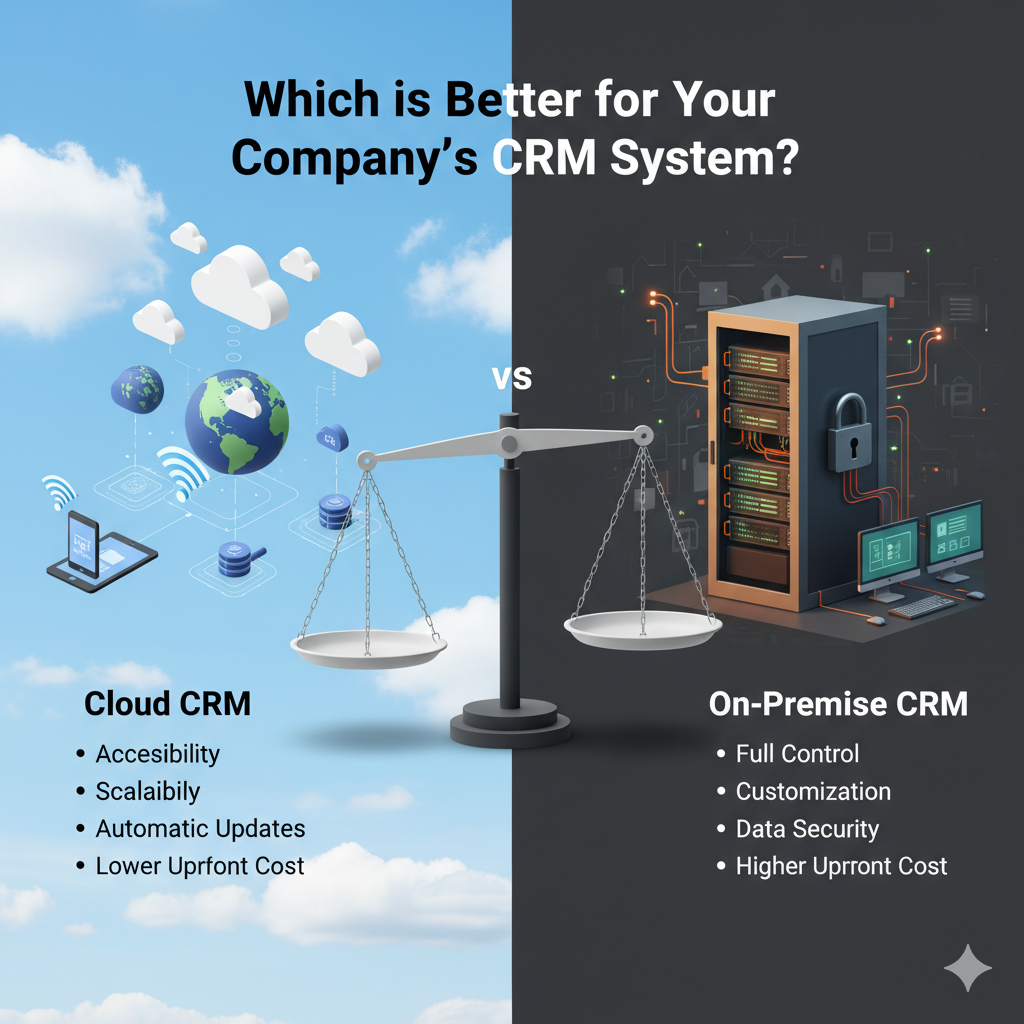
In today’s hyper-connected digital landscape, customer experience has become the cornerstone of business success. Whether you’re a startup or a global enterprise, managing customer interactions efficiently can make or break your brand. That’s precisely where Customer Relationship Management (CRM) systems come into play.
But when it comes to choosing the right company CRM system, one question always arises:
Should you opt for Cloud CRM or On-Premise CRM?
Each model has its own advantages, challenges, and costs. In this blog, we’ll take a deep dive into both, comparing their performance, scalability, security, and suitability for different types of businesses — so you can decide which CRM solution fits your needs best.
The Evolution of CRM Systems
CRM software has come a long way from simple contact management tools to powerful, AI-driven platforms that automate sales, marketing, and customer support. As businesses evolved, so did the deployment models — primarily divided into Cloud-based (SaaS) and On-Premise CRMs.
Modern companies now rely on custom CRM software development to tailor these systems according to their workflows and customer engagement goals. But before we compare, let’s understand what each model entails.
Understanding CRM Deployment Models
What is Cloud CRM?
A Cloud CRM, also known as SaaS CRM (Software-as-a-Service), is hosted on external servers managed by a vendor. You access it through a web browser or mobile app — much like Gmail or Google Drive.
You don’t need to worry about installation, maintenance, or server infrastructure; the provider handles everything. Popular Cloud CRMs include Salesforce, HubSpot, and Zoho CRM.
In short:
Cloud CRM = Hosted online + Subscription-based + Vendor-managed
What is On-Premise CRM?
An on-premises CRM is installed locally on your company’s own servers. It gives you complete control over your data and infrastructure. Businesses with strict data regulations — such as finance, healthcare, or government organisations — often prefer this model.
Examples include Microsoft Dynamics On-Premise, Oracle CRM, and SAP CRM.
In short:
On-Premise CRM = Installed locally + One-time purchase + In-house management.
3. Cloud vs On-Premise CRM: Key Differences
Let’s break down the significant differences between these two CRM deployment models:
| Feature | Cloud CRM | On-Premise CRM |
| Deployment | Hosted online (SaaS) | Installed on local servers |
| Cost Structure | Subscription-based (monthly/yearly) | One-time license fee + maintenance |
| Maintenance | Handled by vendor | Managed by in-house IT team |
| Accessibility | Access from anywhere via internet | Restricted to internal network |
| Scalability | Highly scalable | Limited by hardware capacity |
| Security | Vendor-managed | Company-managed |
| Customization | Moderate | Deep customization possible |
| Setup Time | Quick setup | Longer installation & configuration |
| Data Storage | Cloud servers (external) | Local company servers |
| Upgrades | Automatic updates | Manual upgrades required |
Each model brings unique benefits depending on your company’s structure, size, and regulatory needs.
4. Cloud CRM: Pros and Cons
Advantages of Cloud CRM
- Quick and Easy Setup
Cloud CRMs can be deployed within hours. There’s no need for hardware investment — you sign up and start. - Cost-Efficient for Startups and SMEs
Pay only for what you use. The subscription model reduces upfront costs and makes CRM adoption affordable for smaller teams. - Seamless Accessibility
Team members can access real-time data anytime, anywhere — ideal for remote and hybrid teams. - Automatic Updates and Maintenance
Your CRM vendor manages system upgrades, backups, and patches — saving your IT team valuable time. - Scalable and Flexible
As your business grows, you can easily scale users or add new modules without changing the infrastructure.
Disadvantages of Cloud CRM
- Data Security Concerns
Since your data is stored on third-party servers, there’s always a perceived risk around privacy and compliance. - Vendor Dependency
You rely on the vendor’s uptime, pricing changes, and data handling policies. - Limited Customization
Cloud CRMs typically offer configuration options rather than deep, structural customisation.
5. On-Premise CRM: Pros and Cons
Advantages of On-Premise CRM
- Full Data Control
Your company has complete ownership and access to all customer data, with no external access. - Highly Customizable
Your CRM software development company can fully tailor on-premise solutions to meet specific workflows, integrations, or reporting requirements. - Compliance and Security
Ideal for industries with strict data privacy laws — banking, insurance, or healthcare — where data can’t leave the company’s servers. - Offline Availability
Some features can function even without an internet connection, ensuring continuity.
Disadvantages of On-Premise CRM
- High Upfront Investment
Hardware, software licenses, and IT infrastructure can be costly, especially for small companies. - Longer Deployment Time
Installation, configuration, and staff training can take weeks or months. - Maintenance Burden
Your internal IT team must handle updates, server monitoring, and backups.
6. Cost Comparison: Cloud vs On-Premise CRM
Cost is one of the most significant factors when choosing a CRM. Let’s compare both models based on Total Cost of Ownership (TCO) over a 3–5 year period.
| Cost Element | Cloud CRM | On-Premise CRM |
| Licensing | Subscription (monthly/yearly) | One-time perpetual license |
| Infrastructure | Included in price | Servers, hardware, networking |
| Maintenance | Vendor-managed | In-house team required |
| IT Support | Minimal | Dedicated staff needed |
| Scalability | Pay for added users | Hardware expansion needed |
| Long-Term Cost | Higher over time (subscription) | Lower if managed efficiently |
For startups and mid-sized businesses, Cloud CRM offers a low-cost entry point. However, large enterprises might find on-premises CRM more cost-effective over the long term, given their existing IT infrastructure.
7. Security and Compliance Considerations
Security often determines whether a company chooses Cloud or On-Premise deployment.
Cloud CRM Security
- Managed by vendors with enterprise-grade encryption, firewalls, and secure access controls.
- Reputable vendors comply with GDPR, ISO 27001, and SOC 2 standards.
- Data is regularly backed up and protected from physical damage or theft.
However, businesses must review vendor data policies and choose providers with transparent compliance practices.
On-Premise CRM Security
- Full responsibility lies with your company’s IT department.
- Offers maximum control over access, encryption, and firewall configurations.
- However, if internal resources are limited, the system might become vulnerable to internal errors or cyber threats.
If your business operates in sectors like government, defence, or healthcare — where data confidentiality is non-negotiable — On-Premise might be your safer bet.
8. Performance, Integration, and Customisation
Cloud CRM
Cloud-based systems integrate easily with other SaaS platforms like email marketing tools, accounting software, and customer support systems. APIs and plug-ins make these integrations seamless.
However, customisation is limited — you can configure workflows, but profound feature-level changes are restricted.
On-Premise CRM
With access to the source code and full control over your infrastructure, you can customise almost every aspect of your CRM.
This is where partnering with a skilled CRM software development company like The PM IT Solution can make all the difference — tailoring features, modules, and integrations specifically to your organisation’s needs.
9. Scalability and Future Readiness
Cloud CRM
- Scales instantly: add new users or upgrade plans.
- Supports global operations and remote teams easily.
- Cloud CRMs are typically AI and automation-ready, offering predictive analytics, chatbots, and automated sales workflows.
On-Premise CRM
- Scaling requires hardware upgrades and system reconfiguration.
- Future upgrades may require purchasing new software licenses.
- However, it allows advanced customisation for AI integration if you have a capable internal team.
If agility and growth are your goals, Cloud CRM gives faster scalability. For complete control and tailored innovation, On-Premise CRM is the way to go.
10. Which CRM is Best for Your Business Type?
| Business Type | Recommended CRM Type | Reason |
| Startups & SMEs | Cloud CRM | Low cost, quick setup, minimal IT need |
| Large Enterprises | On-Premise CRM | Control, security, and customization |
| Remote Teams | Cloud CRM | Global access and collaboration |
| Regulated Industries (Finance, Healthcare) | On-Premise CRM | Data protection and compliance |
| Growing Businesses | Cloud CRM | Easy to scale and integrate new tools |
Ultimately, the best CRM depends on your business model, IT resources, and data sensitivity level.
11. The Role of Custom CRM Software Development
Every business is unique — and so are its customer management needs. Off-the-shelf CRM solutions rarely fit perfectly. That’s where custom CRM software development comes in.
A professional development partner like The PM IT Solution can help you design a CRM that:
- Integrates with your existing tools (ERP, accounting, helpdesk, etc.)
- Automates your unique sales and marketing workflows
- Provides role-based dashboards and analytics
- Supports hybrid deployment (Cloud + On-Premise)
By blending cloud flexibility with local control, a custom-built CRM can deliver the best of both worlds — security, performance, and scalability — perfectly aligned with your business goals.
12. Cloud vs On-Premise: The Final Verdict
Which CRM is better for your company’s CRM system?
It depends on your priorities:
- If you value cost-effectiveness, mobility, and faster deployment, go for Cloud CRM.
- If you prioritise data control, security, and customisation, On-Premise CRM is the ideal fit.
Many enterprises today are even adopting hybrid CRM models, combining the accessibility of the cloud with the security of on-premise servers.
The key is not choosing the trendiest option — but the one that best supports your business model, team structure, and customer data needs.
13. Conclusion
In the end, both Cloud CRM and On-Premise CRM serve the same purpose — empowering businesses to strengthen customer relationships, streamline operations, and drive growth. The difference lies in how you deploy and manage that power.
If you’re unsure which model fits your organisation, consider working with a trusted CRM software development company like The PM IT Solution.
Our experts specialise in designing custom CRM systems tailored to your business goals — whether you prefer a cloud-based SaaS platform or an on-premise infrastructure. We help you build, integrate, and scale a CRM that not only manages data but transforms your customer experience.
Ready to develop a future-ready CRM for your business?
👉 Visit The PM IT Solution to get started today!