
If you have come across 192.168.181 while checking your router, computer, Wi-Fi settings, or another network device, you may wonder what it actually represents. Is it an IP address? Is it a router address? Or is it simply part of a larger network?
The important detail is that 192.168.181 is not a complete IPv4 address. An IPv4 address normally contains four numerical sections separated by periods, such as 192.168.181.1. Therefore, the three-part value is better understood as a network prefix or partial address.
Understanding this distinction can make router configuration and network troubleshooting much easier.
What Is 192.168.181?
The value 192.168.181 represents the first three octets of a potential IPv4 address.
For example:
192.168.181.1192.168.181.10192.168.181.50192.168.181.100192.168.181.254
These are complete IPv4 addresses, while 192.168.181 by itself is incomplete.
The first three sections can identify a particular local network when a common /24 subnet is being used. In that setup, addresses beginning with 192.168.181 belong to the same local address range, while the final number identifies an individual device.
Is 192.168.181 a Private IP Range?
Yes, addresses beginning with 192.168.181 fall within the private IPv4 block 192.168.0.0 through 192.168.255.255.
Private addresses are intended for use inside local networks rather than direct communication across the public internet. Homes, offices, schools, laboratories, and small businesses commonly use private addressing.
This means an address such as 192.168.181.1 can be assigned to a router or another local device without being a globally unique internet address.
Why Private Addresses Matter
Private IP addressing helps networks organize connected devices without requiring every device to have its own public IPv4 address.
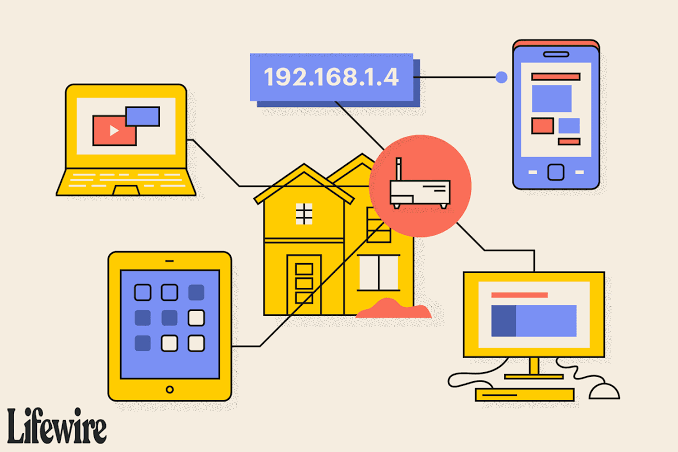
A typical home network might look like this:
- Router:
192.168.181.1 - Laptop:
192.168.181.20 - Smartphone:
192.168.181.21 - Printer:
192.168.181.30 - Smart TV:
192.168.181.40
The router can use Network Address Translation (NAT) to allow these private devices to communicate with internet services through a public IP address.
192.168.181 vs. 192.168.181.1
This is one of the most important distinctions.
| Value | What it represents | Complete IPv4 address? | Typical use |
|---|---|---|---|
192.168.181 |
Three-octet prefix | No | Identifying part of a local network |
192.168.181.1 |
Individual host address | Yes | Potential router or gateway |
192.168.181.10 |
Individual host address | Yes | Computer, phone, or other device |
192.168.181.254 |
Individual host address | Yes | Potential gateway or network device |
192.168.1.1 |
Different private address | Yes | Common router configuration address |
The table highlights why entering 192.168.181 into a browser will not necessarily take you to a router administration page. A complete address is required, and the actual gateway depends on how the network has been configured.
Could 192.168.181.1 Be a Router Address?
It could be, but there is no universal rule saying that 192.168.181.1 must be your router.
Many routers use the first usable address in their subnet as the gateway, but manufacturers and network administrators can choose different configurations. A network might instead use 192.168.181.254, for example.
So rather than guessing, it is better to check the default gateway shown by your device.
How to Find Your Router’s IP Address
If you’re trying to access your router’s settings, finding the gateway is more reliable than trying random private IP addresses.
On Windows
Open Command Prompt and run:
ipconfigLook for Default Gateway under the active network connection.
On macOS
Open Terminal and use the appropriate network configuration command to identify the active gateway.
On Android or iPhone
Open the connected Wi-Fi network’s details. Depending on the operating system version, you may see fields such as Router, Gateway, or IP Address.
Once you identify the gateway, you can enter the complete address into your browser if the router provides a web-based administration interface.
Understanding the Subnet Behind 192.168.181
If your network uses a conventional /24 subnet, the notation may look like:
192.168.181.0/24
In that arrangement:
192.168.181.0is normally the network address.192.168.181.1through192.168.181.254are commonly usable host addresses.192.168.181.255is normally the broadcast address.
However, this is important: the three-octet prefix does not automatically prove that the network uses /24.
A network administrator could configure a different subnet mask. Consequently, the complete subnet configuration should always be checked before making assumptions about which addresses are available.
Why You Might See 192.168.181 on a Device
There are several ordinary reasons this prefix may appear.
Your router could have assigned an address such as 192.168.181.25 through DHCP. A network scanner may display multiple devices sharing the same prefix. Alternatively, a computer’s network settings may show a local address that begins with these three octets.
I once encountered a network where the device addresses looked unusual simply because the administrator had changed the default private subnet; nothing was wrong with the connection.
This is a useful reminder that private IP ranges are not limited to the familiar 192.168.1.x pattern.
Practical Network Configuration Example
Imagine a small office with a router configured for 192.168.181.0/24.
The router uses 192.168.181.1 as its gateway. Employees’ computers receive addresses such as 192.168.181.15 and 192.168.181.16, while a network printer receives 192.168.181.50.
One morning, a workstation cannot print.
Instead of assuming that the printer is offline, the administrator checks whether the workstation has an address in the same subnet, verifies its gateway, and tests connectivity to the printer. If the workstation has accidentally received an address from another network, the issue becomes much easier to identify.
The lesson is simple: the prefix tells you where an address belongs, while the complete address identifies the specific device.
Common Problems With a 192.168.181.x Network
A network using this address range can experience the same problems as any other private IPv4 network.
Duplicate IP Addresses
If two devices are manually assigned the same address, communication can become unreliable. DHCP normally helps prevent this when devices are configured correctly.
Incorrect Subnet Mask
A wrong subnet mask can make devices appear to be on different networks even when their addresses look similar.
Wrong Default Gateway
A device may have a valid local IP but still fail to reach external networks if its gateway is incorrect.
DHCP Problems
If DHCP fails, a device may not receive the expected address, gateway, or DNS configuration.
Router Configuration Changes
Changing the router’s LAN address range can temporarily disconnect devices until they obtain updated network settings.
Is 192.168.181 Safe?
The prefix itself is neither dangerous nor inherently suspicious. It belongs to a standard private IPv4 address block.
However, private does not mean automatically secure. Someone connected to the same local network may potentially communicate with other devices depending on firewall rules, router settings, Wi-Fi isolation, and device security.
For that reason, use strong Wi-Fi authentication, keep router firmware updated, change default administrative credentials, and avoid exposing router administration interfaces unnecessarily to the public internet.
192.168.181 and the Public Internet
A private address such as 192.168.181.20 generally cannot function as a globally routable public internet address.
When a device accesses an internet service, the router commonly translates its private source address through NAT. The external service sees the network’s public-facing address rather than the individual private address.
This separation is one reason thousands of unrelated networks can use addresses from the same private ranges without requiring globally unique IPv4 addresses.
How to Troubleshoot a 192.168.181.x Connection
If your device uses an address beginning with 192.168.181, try these steps:
- Check the device’s complete IP address.
- Verify the subnet mask.
- Check the default gateway.
- Confirm that DHCP is working correctly.
- Restart the network adapter if necessary.
- Restart the router when appropriate.
- Test communication with the gateway.
- Check whether another device has a conflicting address.
- Review firewall settings.
- Confirm that the router’s LAN configuration has not recently changed.
These checks are usually more productive than simply trying different router IP addresses in a browser.
Why the Exact Address Matters
Searching for 192.168.181 can sometimes create confusion because it looks like an IP address but lacks its fourth octet.
Think of it like a street name without a house number. It can tell you the general area, but it does not identify one particular destination.
If you are troubleshooting a specific device, record the complete address, subnet mask, gateway, and DNS information. Those four pieces provide considerably more useful information than the partial prefix alone.
Also Read: 212.32.266.234: Is This IP Address Valid?
Conclusion
192.168.181 is best understood as a partial IPv4 address rather than a complete IP address. Because it falls within the private 192.168.0.0/16 block, a complete address beginning with this prefix can be used inside a local network.
The actual device address might be 192.168.181.1, 192.168.181.25, 192.168.181.100, or another valid combination. The specific configuration depends on the router and subnet design.
When troubleshooting, avoid assuming that .1 is always the gateway or that every network uses /24. Check the actual network configuration first. That small habit can prevent a surprising amount of unnecessary troubleshooting.
FAQs
Is 192.168.181 a valid IP address?
No. As written, it contains only three octets. A standard IPv4 address requires four octets, such as 192.168.181.1.
Is 192.168.181 a private IP?
The prefix belongs to the private IPv4 block 192.168.0.0/16. A complete address beginning with 192.168.181 is therefore within that private block.
What is 192.168.181.1?
It is a complete private IPv4 address. It could be configured as a router, gateway, or another local device, but its role cannot be determined from the address alone.
Can I access my router using 192.168.181?
Not exactly, because the value is incomplete. You need the router’s complete gateway address. It might be 192.168.181.1, but you should verify the gateway on your connected device.
How many devices can a 192.168.181.x network support?
If the network is specifically configured as 192.168.181.0/24, it normally provides 254 usable host addresses. Different subnet configurations can provide different numbers of hosts.
Is a 192.168.181.x address visible on the internet?
Normally, no. It is a private address intended for local networking and is not globally routable on the public internet.
